Simucube 2 Quick Release Adapter for Simucube 3
Simucube 2 Quick Release Adapter for Simucube 3 allows you to use your existing Simucube Quick Release collection with Simucube 3, by replacing the wheelbase's Link Quick Release interface with the previous generation Simucube 2 Quick Release (SQR).
Please note that the wireless data and power transfer via Lightbridge is not supported when using this adapter.
Package contents
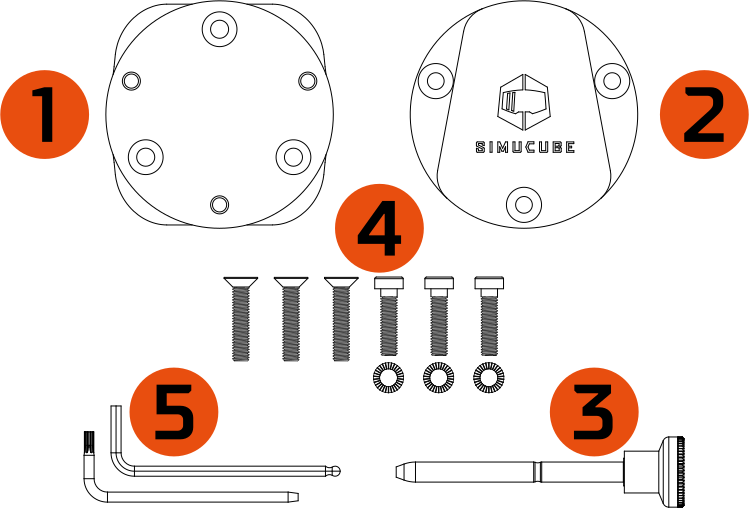
| Item | Qty |
|---|---|
| 1. Simucube 3 - Simucube 2 Quick Release Adapter | 1 pc |
| 2. Simucube 2 Wheelbase Side Quick Release | 1 pc |
| 3. Quick Release Locking Pin | 1 pc |
| 4. Fastener kit - M5x20 hex head screw - M5x25 countersunk hex screw - M5 locking washer |
3 pcs 3 pcs 3 pcs |
| 5. Tool kit - L-key 3 mm Hex - L-key T10 Torx |
1 pcs 1 pcs |
Removing Link Quick Release
To begin installing the Simucube 2 Quick Release Adapter to your Simucube 3 wheelbase start by removing the original Link Quick Release male part. Do this by following the steps below:
Step 1
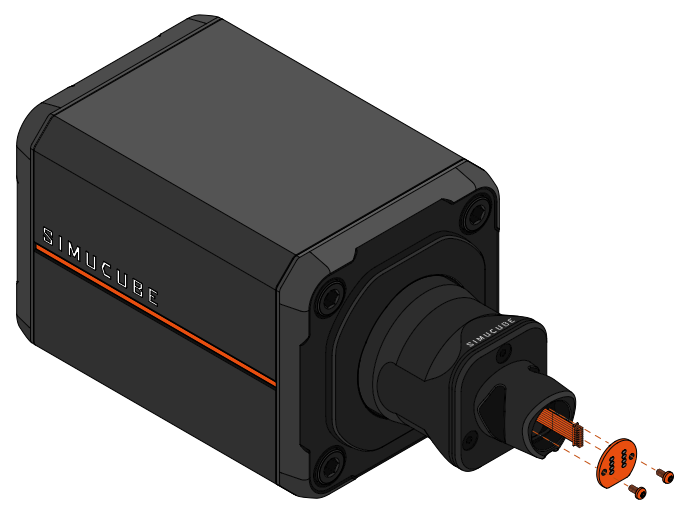
Info
- Power off your wheelbase and unplug the power supply.
- Remove the two (2) torx screws holding the circuit board, using a T10 torx key .
- Remove the circuit board. A small flat head screwdriver may be used to pry around the screw holes of the board.
- Disconnect the wire connecting the board to the wheelbase by pulling the connector.
Warning
The T10 torx screws can be damaged during removal if they are not opened with utmost care. Ensure that the key stays straight and maintain firm downwards pressure while turning the key.
Step 2
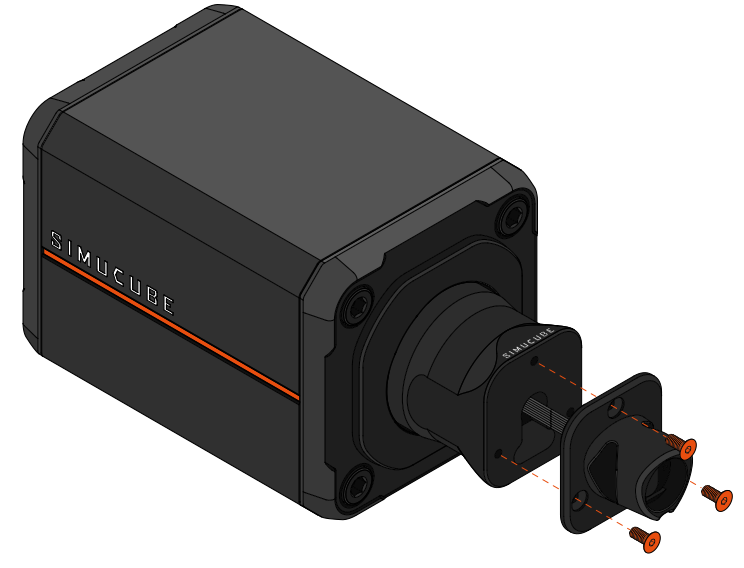
Info
- Remove the three (3) hex screws using a 3mm hex key, and detach the quick release cone.
Step 3
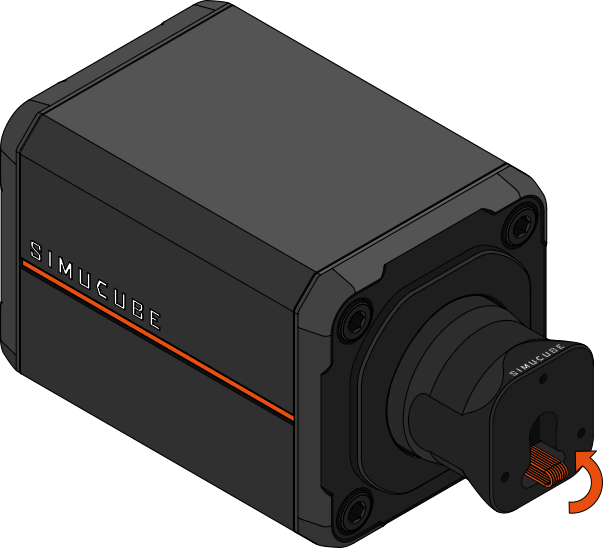
Info
- Fold the cable inside the slot in the axle of the wheelbase.
Installing Simucube 2 Quick Release
After removing the original Link Quick Release male part from the wheelbase, attach Simucube 2 Quick Release to the motor shaft by following the instructions below:
Step 4
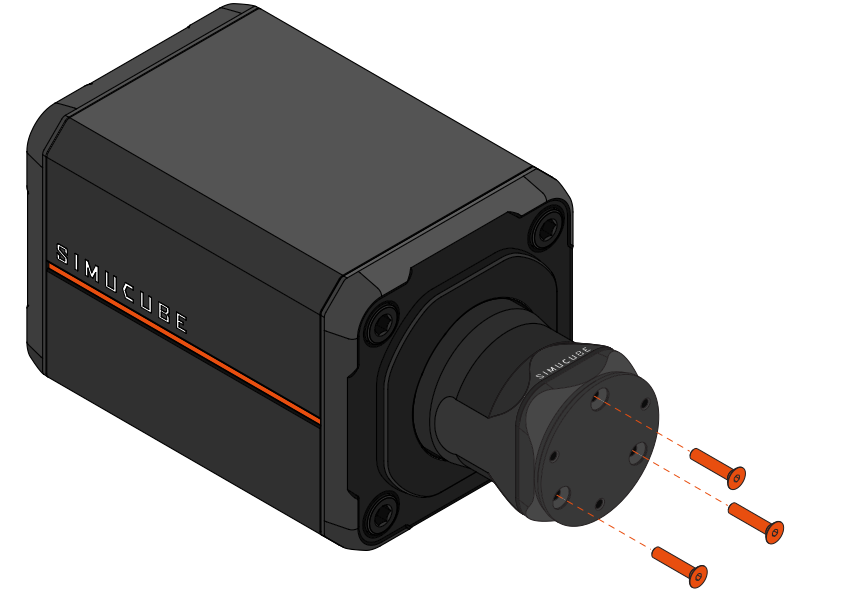
Info
- Use a 3mm hex key and the three (3) supplied M5x25 countersunk hex screws to tightly attach the adapter plate to the wheelbase. (Sufficient torque ~6Nm)
Step 5
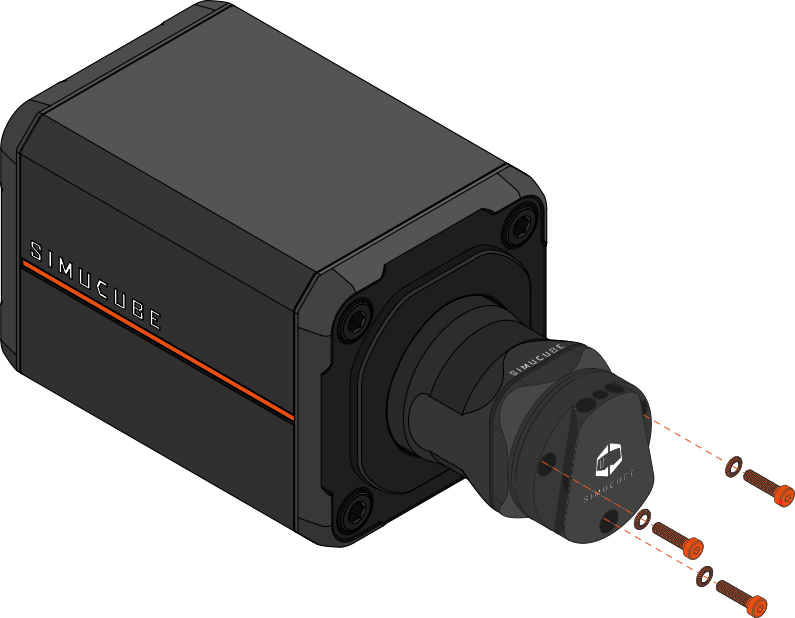
Info
- Attach the wheelbase side quick release to the adapter plate with the three (3) supplied M5x20 hex screws and the three (3) M5 locking washers using a 3mm hex key. (Sufficient torque ~6Nm)
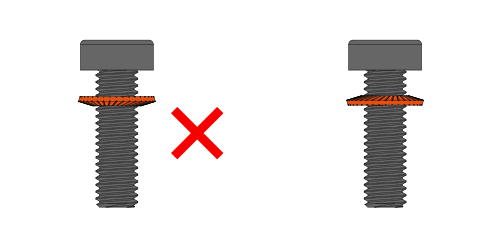
- Pay attention to the orientation of the lock washers: The convex side of the washer should face the screw head.
- Note: You may experience some resistance as the locking washer compresses during tightening.
Using the Quick Release
You may now mount your existing wheels with Simucube 2 wheelside Quick Releases to Simucube 3. Remember to always lock your wheel in place with the locking pin before enabling wheelbase torque. Do not operate the Quick Release without first pushing the "Torque off" button on the Control Box.
If necessary, the tightness of the locking pin can be adjusted by following the instructions in the video below.
For information about mounting Simucube 2 Wheel side Quick Releases to steering wheels, see Simucube 2 Wheel side Quick Release.